Everything You Need to Know About Christmas Ball Ornament Design and Digital Files
Christmas is a time of joy, celebration, and creativity. One popular way people express their holiday spirit is through the decoration of Christmas trees with ornaments. Among these, Christmas ball ornament designs are especially cherished for their classic shape and festive appeal. In recent years, digital design files have revolutionized how we create and customize these decorations, making it easier than ever to craft personalized, high-quality ornaments using tools like Cricut machines.
What Are Christmas Ball Ornament Designs?
A Christmas ball ornament is a spherical decoration typically used on Christmas trees. These can be made from various materials such as glass, plastic, wood, or faux leather. Traditionally, they feature intricate patterns, glitter, and small metallic accents that catch the light beautifully when hung on a tree.
Modern Christmas ball ornament designs often include digital templates that allow users to replicate the traditional look while adding their own unique touches. These templates are ideal for DIY enthusiasts who want to make custom ornaments for home décor, gifts, or even small business ventures.
The Purpose and Significance of Custom Ornaments
Custom-made Christmas ball ornaments serve multiple purposes:
- They add a personal touch to your holiday décor.
- They make meaningful and memorable gifts for friends and family.
- They support small businesses and independent creators.
- They offer an opportunity to explore creative hobbies and crafts.
Creating your own ornaments can also be a fun educational activity for children or a bonding experience for families. It encourages artistic expression and provides hands-on learning about different materials and tools.
Understanding Digital File Types: SVG, DXF, EPS, JPG, and PNG
When purchasing or downloading a digital ornament design, you’ll often receive multiple file types. Each has its own use and advantages. Here’s a breakdown of what each format means and how it fits into your crafting process:
SVG (Scalable Vector Graphics)
SVG files are vector-based and perfect for use with cutting machines like Cricut or Silhouette. They maintain sharp edges at any size, which makes them ideal for precise cuts. If you're planning to cut out shapes from faux leather, wood, or acrylic, SVG is the go-to format.
DXF (Drawing Exchange Format)
DXF files are commonly used in laser cutting and CNC machining. They provide accurate outlines and are widely supported by industrial design software. If you’re working with thicker materials like plywood or MDF, DXF files ensure clean and professional results.
EPS (Encapsulated PostScript)
EPS files are another vector format, often preferred by graphic designers for their scalability and compatibility with Adobe Illustrator. They’re useful if you plan to edit the design further before printing or cutting.
JPG and PNG (Raster Image Formats)
While JPG and PNG are raster image formats, they play a crucial role in the design process. The PNG files included in your download come with a transparent background, allowing you to overlay the design onto other images or materials easily. Both formats are great for visual previews and printing.
Using the ZIP Folder: What's Inside and How to Get Started
When you purchase a set of Christmas ball ornament designs, you usually receive all the necessary files in a single ZIP folder. This folder contains multiple subfolders, each with a specific file type. For example, one might contain SVGs, another PNGs, and so on. Let’s break down the typical contents of such a ZIP folder:
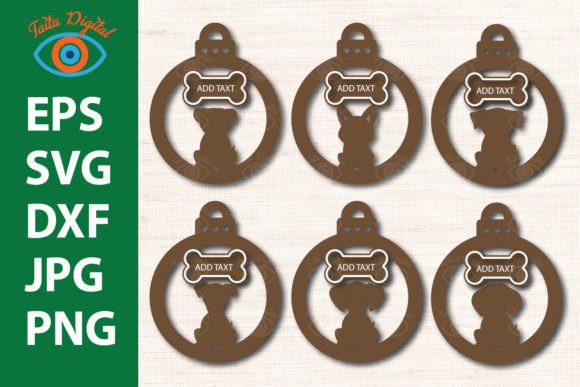
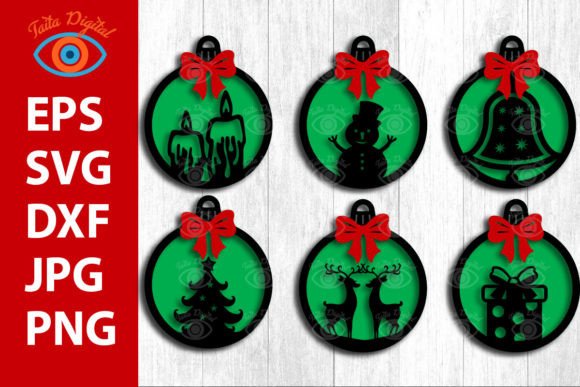
- SVG Folder: Contains 6 scalable vector graphics files ready for use with most cutting machines.
- PNG Folder: Includes 6 high-resolution PNG files with transparent backgrounds for easy editing and printing.
- DXF Folder: Houses 6 DXF files suitable for laser cutting applications.
- EPS Folder: Provides 6 EPS files for those who prefer working with Adobe Illustrator or similar programs.
- JPG Folder: Offers 6 JPG files for quick reference and visual layout planning.
These files are grouped to help you choose the right format based on your project needs and equipment. Before beginning, always extract the ZIP folder to access its contents. If you encounter issues opening the ZIP file, double-check your extraction tool or contact the seller for assistance.
How to Use These Files for Creative Projects
Whether you're a beginner or an experienced crafter, these files open up a world of possibilities. Here are some ways you can use them:
1. Cutting with a Cricut Machine
If you own a Cricut machine, the SVG files are essential. Load the design into Cricut Design Space, adjust the size as needed, and send it to your machine. You can then cut the design from materials like faux leather, felt, or thin wood. Once cut, you can paint, embellish, or assemble the pieces into beautiful 3D ornaments.
2. Laser Cutting for Acrylic or Wood Projects
Laser cutting allows for precision and speed. Using DXF files, you can import the design into laser cutting software and cut it from acrylic, plywood, or MDF. These files are particularly useful for creating layered ornaments or decorative garlands with a polished finish.
3. Printing for Earrings or Mini Ornaments
The high-resolution PNG and JPG files are excellent for printing. You can print them directly onto adhesive vinyl or transfer paper and then apply them to surfaces like wood slices, mini balls, or even earring bases. This method is great for beginners or those without cutting machines but still want to create custom jewelry or decorations.
4. Graphic Design and Editing
For more advanced users, EPS files allow full customization in design software. You can modify colors, add text, or combine elements with other graphics to create truly unique ornament designs. This is especially helpful for those looking to sell their creations or brand them for a small business.
Common Uses and Ideas for Your Christmas Ball Ornament Templates
These versatile templates can be adapted for many projects beyond just tree decorations. Here are some popular uses:
- 3D Multi-Layered Hangings: Combine layers of material to give your ornaments a dimensional look.
- Faux Leather Earrings: Print the design onto heat-transfer paper and apply it to faux leather for a trendy holiday accessory.
- Wooden Ornaments: Use the DXF or SVG files to cut wooden pieces and assemble them into rustic or modern-style decorations.
- Shiplap Garland: Cut the design from fabric or foam board and layer them to mimic the shiplap look for a charming holiday garland.
What You Should Know Before Starting
Before diving into your crafting project, there are a few key points to keep in mind:
- File Extraction: Always unzip the folder before accessing individual files. Most operating systems have built-in tools for unzipping, but you can also use third-party software like WinZip or 7-Zip.
- Software Compatibility : Ensure you know what software your cutting machine supports. While SVG is standard for Cricut, other brands may require different formats.
- Material Requirements: Choose materials that work well with your chosen file type. Thicker materials may need laser-cutting capabilities, while thinner ones can be handled by a Cricut.
- Usage Rights: These files are intended for personal or small business use only. Reselling the original files is not permitted, although selling finished products created from them is acceptable under certain terms.
Why These Files Matter in Today’s Crafting World
In the age of digital technology, having access to customizable templates has changed the way we approach holiday crafts. No longer do we rely solely on mass-produced items; instead, we can personalize our creations and express our style in new and exciting ways.
These digital files also empower small businesses and makers to produce unique, handcrafted products efficiently. By leveraging SVG, DXF, and other formats, entrepreneurs can streamline production without sacrificing quality or creativity.
Moreover, digital ornament designs align with current trends in sustainability and minimalism. Creating your own decorations reduces waste and supports eco-friendly practices, while also offering a sense of accomplishment and pride in handmade goods.
Examples of Real-Life Applications
To better understand how these files can be used, let’s look at a few examples:
- Personalized Tree Decorations: A parent could use SVG files to cut names or dates onto wooden ornaments for their child’s first Christmas memory.
- Holiday Jewelry Business: An artist might print the design onto faux leather using PNG files and turn them into earrings to sell online or at local markets.
- Classroom Craft Projects: Teachers can use JPG files to show students the design before cutting and assembling their own 3D ornaments as part of a holiday lesson.
- Home Décor Accents: Someone interested in interior design could laser cut the DXF files into acrylic and use them to create a festive wall art piece.
Clarifying Common Misconceptions
Many people assume that using digital design files requires advanced technical skills. However, with clear instructions and user-friendly software, even beginners can successfully use these templates. Just take the time to learn how your specific machine works and practice with scrap materials before starting your final project.
Another common misunderstanding is that all file types can be used interchangeably. While SVG is great for cutting, JPG and PNG are best for visual reference or printing. Knowing the difference helps you choose the right file for the right task, saving time and avoiding errors.
Getting the Most Out of Your Files
To maximize the value of your digital ornament design files, consider the following tips:
- Experiment with Materials: Try different textures and finishes to see what looks best with your design.
- Combine with Other Elements: Add beads, ribbons, or glitter to enhance your ornaments and make them stand out.
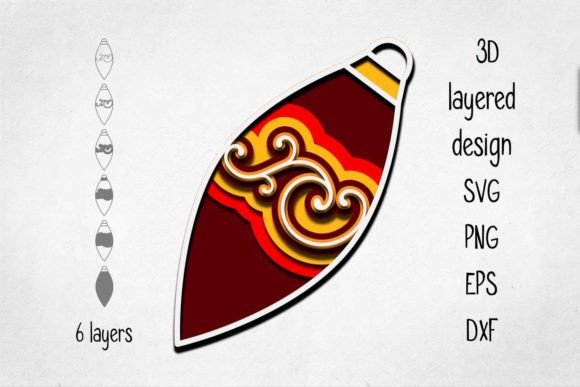
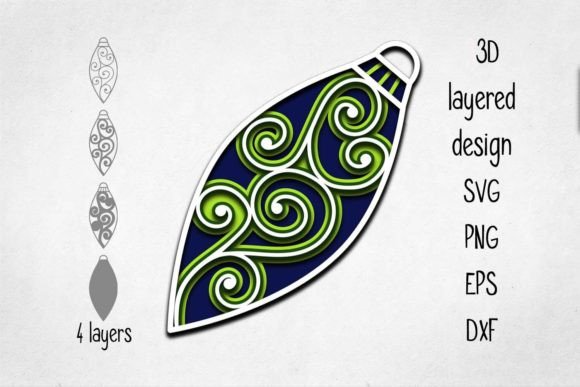
- Use Layering Techniques: Many sets include multiple layers for 3D effects. Play around with depth and color to create eye-catching decorations.
- Share Responsibly: Remember that these files are exclusive and cannot be resold as-is. Share your finished products proudly, but respect the creator’s rights.
Final Thoughts
Christmas ball ornament design templates offer a blend of tradition and innovation. With the variety of file types available—SVG, DXF, EPS, JPG, and PNG—you can tailor your projects to fit your tools, preferences, and creative goals. Whether you're looking to make a few special ornaments for your tree or start a small holiday-themed business, these digital resources provide everything you need to get started.
By understanding the purpose of each file type and how to use them effectively, you unlock endless opportunities for expression and craftsmanship. So this year, why not try something new? Create your own festive decorations and enjoy the satisfaction of a job well done.